Air Theremin: Designing a Gesture-Based Musical Interface
Exploring learnability and spatial interaction in camera-based instruments
Project Snapshot
Type: Interactive Web Experiment
Focus: Gesture-based interaction · Learnability · Spatial UX
Tools: Webcam hand tracking, Web Audio API, AI-assisted prototyping (ChatGPT, Lovable)
Key Contribution: Transformed an invisible, hard-to-learn interaction into a visual, guided experience
Outcome: A working gesture-controlled instrument with real-time feedback and improved usability
Background
While browsing online, I came across the Theremin - an electronic instrument invented in 1920 that can be played without physical contact. The idea of controlling sound purely through hand movement immediately stood out to me.
Without access to a physical Theremin, I became curious:
Can this invisible interaction be translated into a digital, accessible experience?
This led me to explore building a web-based Theremin using hand tracking, turning a physical instrument into a camera-driven spatial interface.
Problem Framing
After research, I noticed that existing virtual Theremin tools already exist, but they often feel like:
technical demos rather than usable instruments
difficult for first-time users to understand
lacking clear feedback or learning support
As a beginner, I personally struggled to:
understand where interaction happens in space
control pitch precisely
explore different sound possibilities
Goals
Design a digital Theremin that is:
Easy to understand
Visually guided
Expressive to play
Process
I started by validating the idea and reviewing existing browser-based Theremin tools. Most worked technically, but lacked clarity and guidance for first-time users.
Using ChatGPT and Lovable, I quickly built a working prototype with:
hand tracking via webcam
real-time sound generation


From there, I focused on improving the interaction experience.
A key design decision was to:
visualize the instrument itself
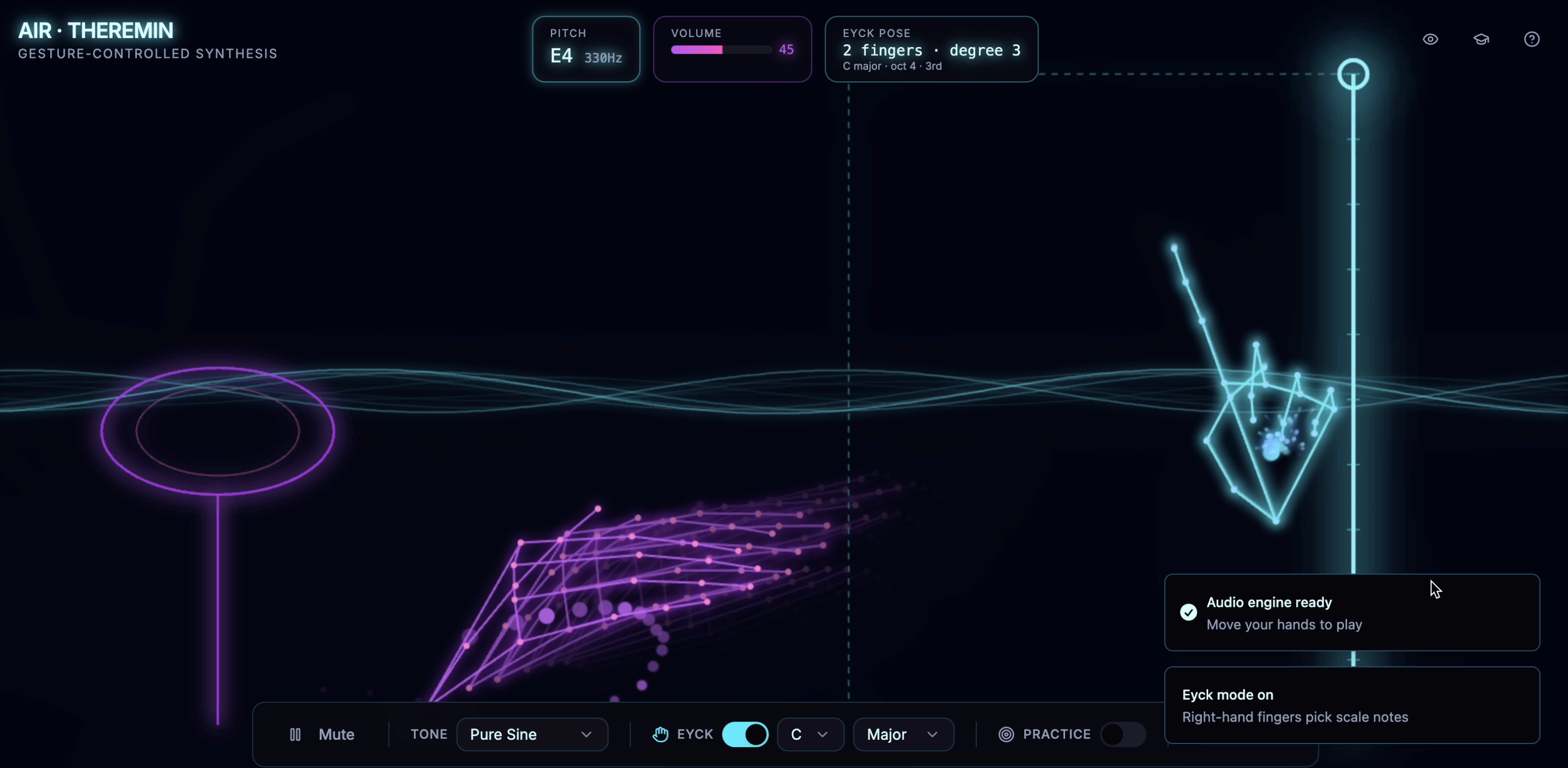
I introduced a glowing, outlined Theremin interface:
vertical line → pitch control
circular loop → volume control
This creates a spatial reference, helping users understand where and how to move.
I iterated on:
visual feedback (glow, hand tracking points)
pitch display and sound response
overall interface clarity in a dark, minimal environment
Result
The result is a browser-based interactive Theremin that:
allows users to control sound through hand movement
provides visual guidance for better learnability
transforms an abstract interaction into a more intuitive experience
Explore the interactive version here: Lovable Prototype
Prompt & Iterations
-
Create a web-based interactive digital Theremin using the user's webcam and hand tracking.
Core Concept:
The application detects both hands using computer vision (MediaPipe or similar).
A virtual, glowing outline of a Theremin is displayed on screen to guide interaction.
The interface simulates the real Theremin layout:
Right side vertical antenna = pitch control
Left side horizontal loop = volume control
Core Features:
Real-time hand tracking using webcam (processed locally in browser).
Audio synthesis using Web Audio API to generate continuous Theremin-like sound.
Smooth pitch transitions (continuous frequency mapping, no stepping).
Volume controlled by distance or vertical position of left hand.
Visual / Spatial Interface (IMPORTANT):
5. Render a stylized, glowing outline of a Theremin:Minimal neon line design (no realistic textures)
Vertical line on the right (pitch antenna)
Curved or horizontal loop on the left (volume control)
Slight glow / particle effect
Spatial interaction mapping:
As the user’s right hand moves closer to the vertical antenna → higher pitch
As the user’s left hand moves near the loop → lower volume (or vice versa)
Draw subtle interaction zones around each antenna
Visual feedback:
Highlight antenna when hand is nearby
Show distance-based glow intensity
Render hand tracking points or soft hand silhouettes
Optional: draw light trails from hand movement
Learning / UX Layer:
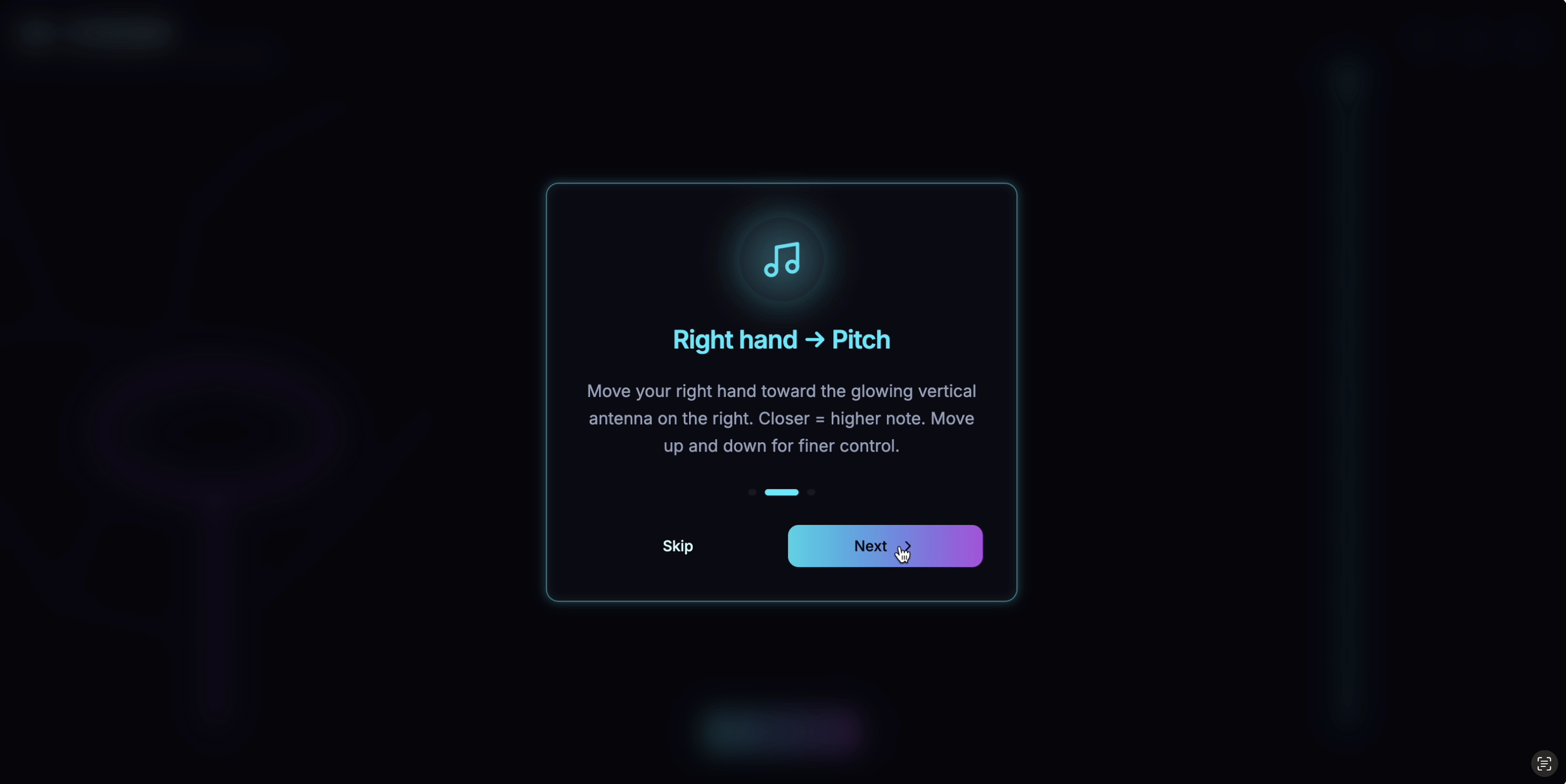
8. Onboarding tutorial:Step 1: “Move your right hand near the vertical line to control pitch”
Step 2: “Move your left hand near the loop to control volume”
Use animated ghost hands demonstrating gestures
Highlight correct zones in space
Guided practice mode:
Show target pitch as a floating line or marker
User matches pitch using right hand
Provide feedback: accuracy, stability
Gesture hints:
Overlay semi-transparent “ideal hand positions”
Show spatial zones (heatmap or glow areas)
UI / Design:
Dark background (black or deep space style)
Neon glowing lines (blue, purple, or green)
Minimal UI, immersive experience
Audio-reactive visuals (waves, particles, or glow pulses)
Technical:
Use JavaScript + Web Audio API + MediaPipe Hands
Optimize for real-time performance in Chrome
No backend required (client-side only)
Optional Features:
Sound presets (sine, ambient, sci-fi)
Recording + playback of performance
Toggle: show/hide Theremin outline (for advanced users)
-
Prompt: Air Theremin — Gesture-Controlled Web Synth
Build a client-side web app that turns a webcam into a virtual Theremin played with hand gestures. No backend.
Stack
React 18 + Vite + TypeScript + Tailwind CSS
MediaPipe Hands for real-time two-hand tracking (21 landmarks/hand)
Web Audio API for synthesis, envelopes, and recording (MediaRecorder)
shadcn/ui components, lucide-react icons, sonner for toasts
Core Interaction (mirrors a real Theremin)
Right hand → pitch (vertical position; closer to right antenna = higher)
Left hand → volume (distance to left loop; closer = quieter)
Glowing on-screen Theremin outline (right antenna + left loop) overlays the mirrored webcam feed
Features
Free-pitch mode: continuous frequency mapping (80–1200 Hz)
Eyck mode (Carolina Eyck technique): right-hand finger count snaps to scale degrees
0 fingers (fist) → root, 1 → 2nd, 2 → 3rd, 3 → 4th, 4 → 5th, 5 (open) → octave
Vertical hand position → octave (3–5)
Selectable key (C/D/E/F/G/A) and mode (major/minor)
Instrument presets with realistic synthesis:
Piano: percussive 5ms attack, exponential decay, filter sweep 5500→900 Hz, custom harmonics
Cello: 180ms swell, vibrato, pitch-tracked filtered pink noise as bow layer
Flute, Sine, Ambient, Sci-fi
Per-note ADSR envelope triggered on note change (Eyck) or volume onset (free mode)
Practice mode: cycles target pitches; shows accuracy in cents (PERFECT / ¢ readout)
Recording + playback via MediaRecorder
Audio-reactive canvas: AnalyserNode-driven waves/particles, glow pulses
Onboarding modal + Eyck tutorial (multi-step with SVG hand-pose diagrams, based on wikiHow)
Toggle outline for advanced users
Critical Implementation Details
Finger detection: use vector projection along MCP→PIP axis (not wrist distance) — invariant to hand tilt
Temporal smoothing: 6-frame majority-vote buffer per finger to stop 3/4/5 flicker
Smooth pitch/volume: setTargetAtTime on AudioParams, not direct assignment
Mirror video horizontally so movements feel natural
Visual Design
Dark/black space background, neon cyan + purple + pink glow
HSL semantic tokens in index.css and tailwind.config.ts (no hardcoded colors in components)
Minimal floating UI: top header, centered live readouts (pitch note name + Hz, volume bar, Eyck pose, accuracy), bottom control bar
Animations: animate-fade-in, animate-pulse-glow, neon borders
File Structure
src/ pages/Index.tsx — main app, hand→audio mapping hooks/useHandTracking.ts — MediaPipe + finger extension + smoothing lib/thereminAudio.ts — Web Audio engine, presets, envelopes, recording lib/eyckScale.ts — finger→degree, y→octave, key/mode math components/ThereminCanvas.tsx — neon outline + audio-reactive visuals components/Onboarding.tsx — 3-step intro components/EyckTutorial.tsx — finger-pose tutorial with SVG diagrams
UX Copy
Title: "AIR · THEREMIN — Gesture-controlled synthesis"
Privacy note in onboarding: "No audio is sent anywhere — everything runs in your browser"
Optimize for Chrome, real-time (60fps tracking + low audio latency).