Time Displacement Mirror Interaction
Recording movement through time, distortion, and mirrored motion.
Project Snapshot
Type: AI-Assisted Interactive Motion Experiment
Focus: Exploring temporal distortion, slit-scan rendering, and movement visualization through real-time camera interaction.
Key Contribution: Reverse-engineered visual behavior from references and translated them into AI prompts, then extended the interaction with customizable motion and distortion variations.
Outcome: Interactive camera-based prototype featuring mirrored slit-scan effects, temporal displacement, movement trails, and adjustable display modes.
Overview
During my Master’s program, one of our professors demonstrated an experimental interactive installation created with TouchDesigner. The system detected movement through a device camera, split the screen vertically from the center, and rendered the video outward with a mirrored time-displacement effect.
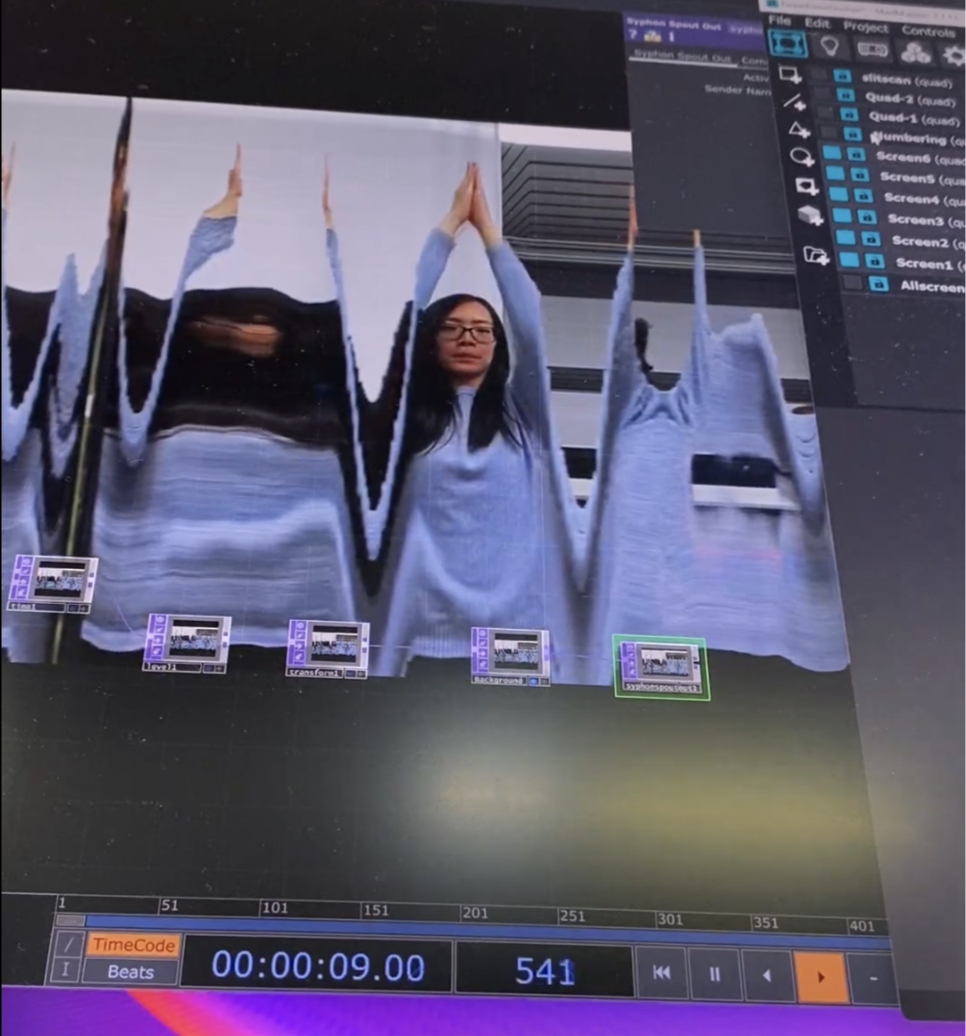
At the time, I found the visual result fascinating, although I wasn’t yet sure how this type of effect could be meaningfully applied beyond experimental media art.
Later, after seeing experimental commercials, dance performances, and the Motion Studies series by Jay Mark Johnson, I began viewing the effect differently, not only as visual distortion, but as a way of recording movement and time within a single composition.
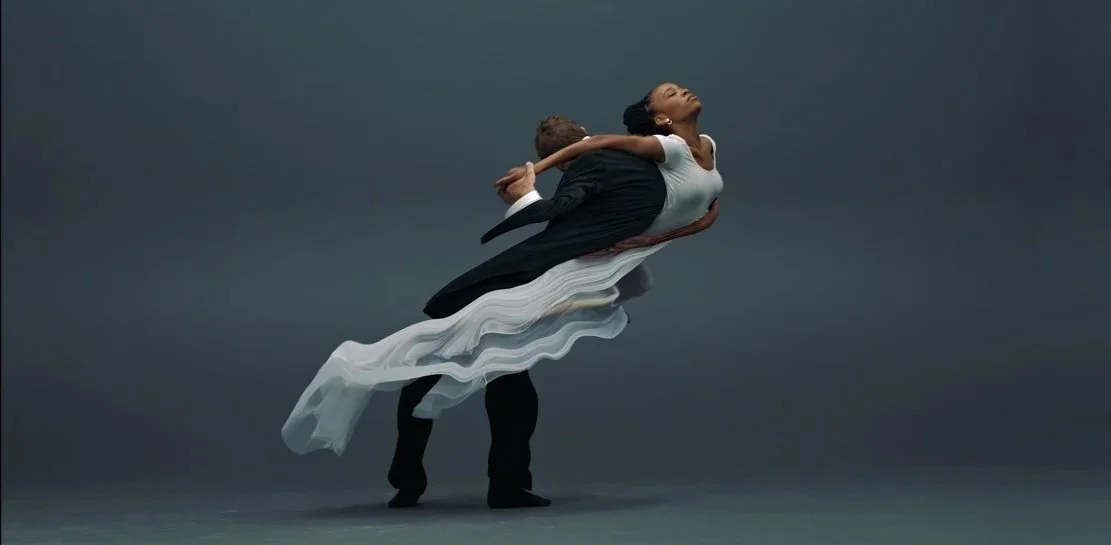
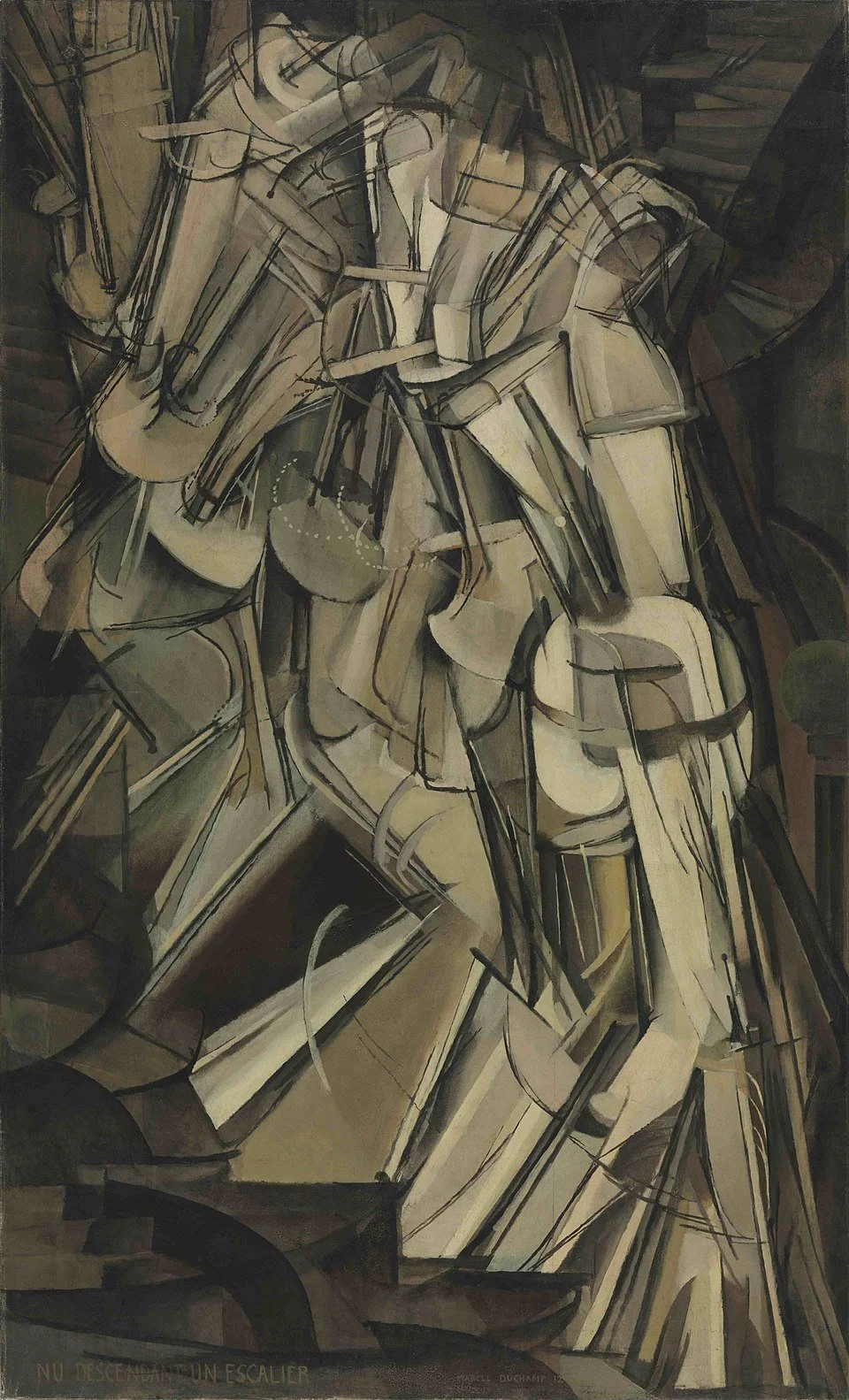
His work also reminded me of Nude Descending a Staircase, No. 2, where fragmented motion is represented simultaneously in a static image.
Process
I wanted to recreate this interaction without prior knowledge of TouchDesigner or advanced creative coding workflows. Instead, I explored whether AI-assisted tools could help translate the concept into a functional prototype.
I first described the intended interaction and uploaded screenshots to ChatGPT, asking it to generate prompts and technical instructions for recreating the effect. However, because the interaction involved more complex behaviors — including slit-scan rendering, mirrored time displacement, and video echo effects — the initial results were unable to fully reproduce the visual behavior I expected.
I then switched to Google Gemini, which offered an important advantage: video understanding. By combining written descriptions with video references, I was able to generate more accurate prompts that better described the movement logic and temporal distortion effects.
Using these prompts, I experimented with AI-assisted prototyping tools including Lovable and BASE44.
After comparing both outputs, I found the results generated with BASE44 more successful in reproducing:
slit-scan motion
movement trails
temporal displacement
interactive responsiveness
Result
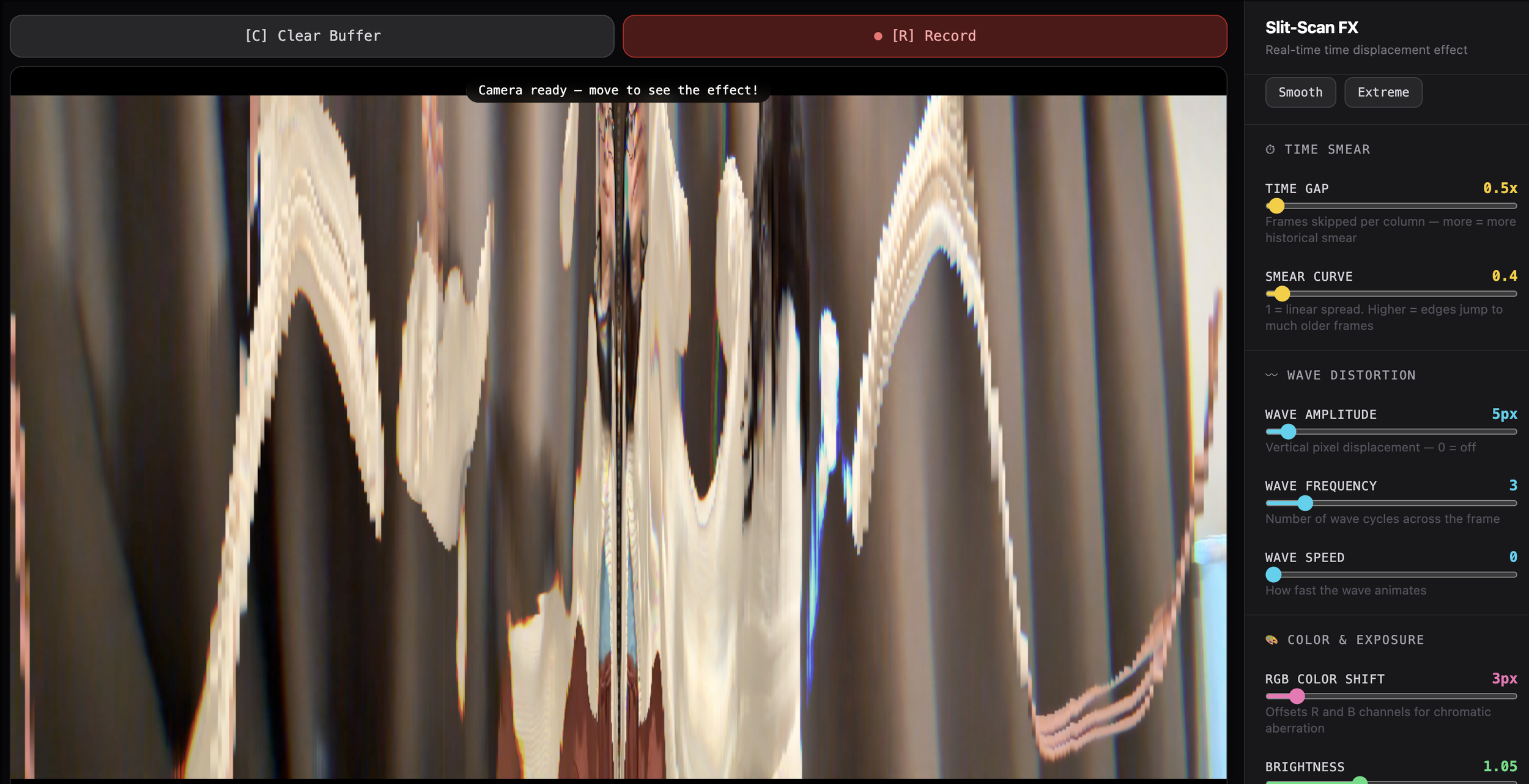
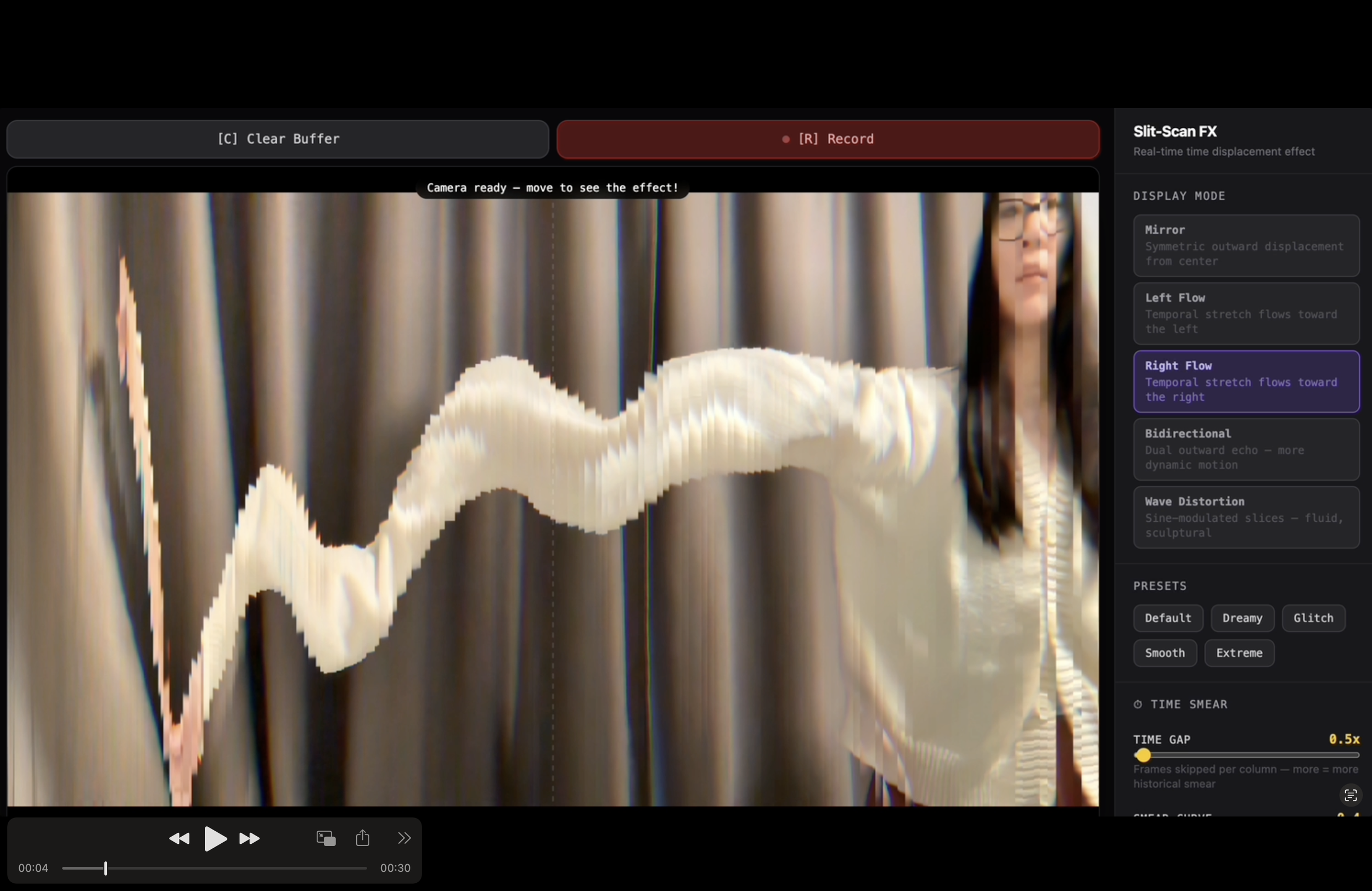
The final prototype recreates a real-time mirrored slit-scan interaction using the device camera. As users move, the system records and stretches movement across time, creating layered temporal echoes on both sides of the screen.
Users can also adjust parameters such as:
slit-scan intensity
distortion direction
video echo trails
wave motion behaviour
Explore the interactive version here: Base44 Prototype
Reflection
Rather than focusing on reproducing a single visual effect, the project gradually evolved into an exploration of temporal interaction behaviors. By experimenting with different motion flows, scan directions, and distortion modes, I began treating movement not only as live input, but as a material that could be stretched, fragmented, and spatially recorded over time.
Prompt
-
Slit-Scan FX — Reproduction Prompt
Build a real-time slit-scan / time displacement webcam effect app in React using the HTML5 Canvas API. No external libraries needed beyond React.
Core concept: Capture webcam frames at ~60fps into a rolling buffer (max ~800 frames). For each output column x, instead of drawing the current frame, draw a past frame from the buffer — where the further the column is from center, the older the frame sampled. This creates a "time smear" effect.
Display Modes (how to pick the frame index per column):
Mirror — distance from center maps to how far back in time (symmetric)
Left Flow — rightmost columns are most recent, leftmost are oldest
Right Flow — inverse of Left Flow
Bidirectional — both edges expand outward like a double echo
Wave Distortion — frame index is sine-modulated per column, creating fluid warping
Adjustable parameters:
Time Gap (0.25–20×) — multiplier for how many frames back the edges reach
Smear Curve (0.3–3.0) — power curve on the frame offset (1 = linear, >1 = accelerating toward edges)
Wave Amplitude (0–80px) — vertical sine displacement per pixel row
Wave Frequency (1–16) — number of wave cycles across the frame width
Wave Speed (0–8) — animation rate of the wave over time
RGB Color Shift (0–30px) — samples R and B channels from offset x positions (chromatic aberration)
Brightness (0.5–2.0) — linear multiplier on all output pixels
Presets: Default, Dreamy, Glitch, Smooth, Extreme — each stores a full parameter snapshot.
UI: Dark sidebar with sliders and mode buttons. Canvas fills the main area. Buttons above canvas: Clear Buffer (resets frame history) and Record/Stop (captures output via MediaRecorder → .webm download). Keyboard shortcuts: ↑/↓ (time gap), R (record), S (stop), C (clear).
Options: Mirror mode toggle (flip webcam horizontally), center-line overlay (dashed white line).